
Excitel Broadband Default Router Login
If you have an Excitel-provided router and need to access its admin page, many devices are shipped with default credentials you can use to sign in. Default username: excitel — Default password: exc@123
Step-by-step: How to log in
- Connect a PC or smartphone to the router network — either via Wi-Fi or using an Ethernet cable.
- Open your web browser and enter the router’s IP address in the address bar. Common router IPs are:
http://192.168.0.1http://192.168.1.1http://10.0.0.1
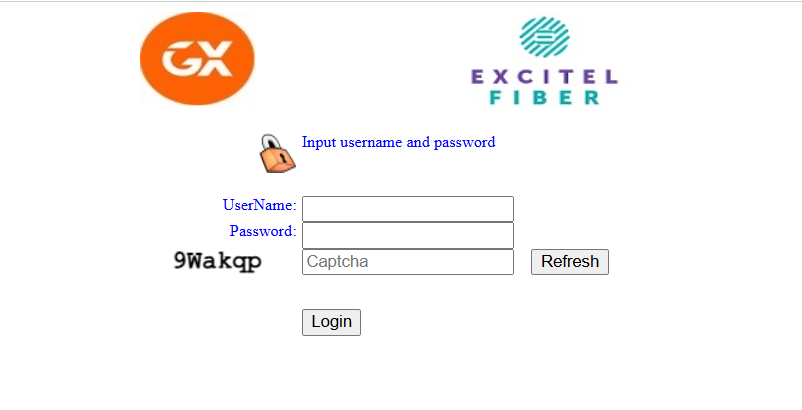
- On the login page, enter: Username: excitel Password: exc@123
- Click Login or Sign In. You should now be in the router’s admin interface.
Important — secure your router immediately
Default credentials are widely known. After logging in for the first time, do the following right away:
- Change the admin password to a strong, unique password (use a mix of letters, numbers and symbols).
- Change the Wi-Fi SSID and Wi-Fi password (use WPA2 or WPA3 if available).
- Disable remote admin if you don’t need to manage the router from outside your network.
- Update firmware if an update is available to fix security bugs and improve performance.
- Enable a guest Wi-Fi network for visitors so you don’t share your main network password.
- Backup your configuration after you finish settings changes, so you can restore them quickly if needed.
If you can’t log in
- Confirm you are connected to the correct router network.
- Verify the router IP (check the default gateway on your device).
- If the default credentials don’t work, the ISP or previous user may have changed them — try contacting Excitel support.
- As a last resort, you can factory reset the router (usually by pressing and holding the reset button for ~10 seconds) — note this will erase all settings and you’ll need to reconfigure the router.
Security tips
- Never share admin passwords publicly.
- Use a password manager to store strong passwords.
- Periodically check for firmware updates and change passwords every 6–12 months.
Need help changing a specific setting (Wi-Fi password, port forwarding, DNS, or firmware)? Tell me your router model and I’ll give step-by-step instructions.