
How to create NFS Share on Linux for VMware LAB
I am using centos 5.5 Linux to create NFS share to map on VMware Datastores.
1- Create one directory to share # mkdir /NAS
2- Give Read Write permission to create folders and files on share #chmod 755 /NAS
3-Allow or stop the firewall to share to be accessible on VMwware ESX servers. #service iptables stop or add a rule to allow NFS Share
4-insert the share entry in /etc/exports file
5-add a line “/share name hostname permission” for example /NAS 192.168.1.0/24(rw) 192.168.1.0 is my VMware Management Network range so my all ESX server will be able to access the NFS Share.
6-Access the VCenter server and click on host >configuration >storage >add storage > choose Network file system
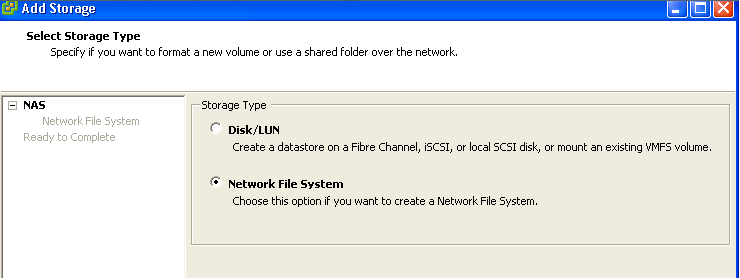
Click on Next
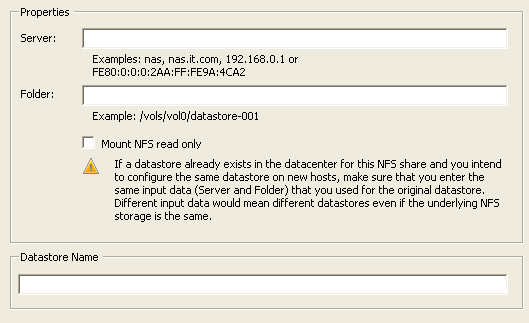
Server :- give your NFS Server IP address 192.168.1.10 our NFS server IP
Folder :- give the shred folder name /NAS
Datastore Name :- give the name which you want to map in NAS
Click on Next and Finish Now the mapped storage will appear on Datastores with name NAS