Introduction
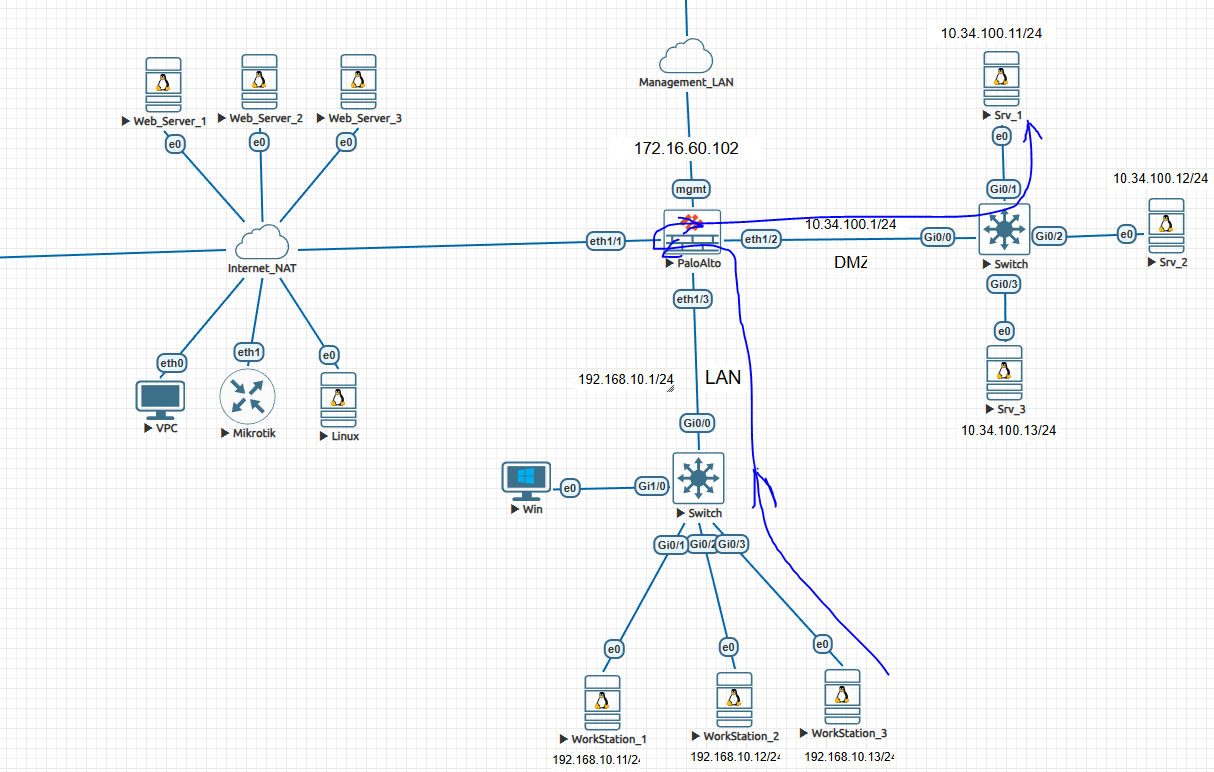
In real-world enterprise networks, it is common to access DMZ servers using a public IP address, even from internal LAN users. This design improves consistency, simplifies DNS, and mirrors real internet access behavior.
In this blog, I will demonstrate User NAT / Destination NAT (UNAT) configuration on a Palo Alto Networks firewall using a practical lab setup with LAN, WAN, and DMZ zones.
This guide explains how traffic from a LAN PC reaches a DMZ mail server using its public IP, with UNAT applied on the firewall.
Read more: Palo Alto UNAT Configuration – Step-by-Step Lab Guide (LAN → DMZ via WAN)
Zone and IP Design
| Zone | Network | Purpose |
|---|---|---|
| LAN | 192.168.10.0/24 | Internal users |
| WAN | 192.168.122.0/24 | Public / Outside zone |
| DMZ | 10.34.100.0/24 | Public-facing servers |
Key IP Addresses Used
- LAN PC:
192.168.10.x - WAN Interface IP (Firewall):
192.168.122.161 - Public IP for Mail Server (UNAT):
192.168.122.172 - DMZ Mail Server (Real IP):
10.34.100.12
Traffic Flow (High Level)
- LAN PC tries to access Mail Server using Public IP
192.168.122.172 - Traffic enters firewall from LAN zone
- Firewall applies Destination NAT (UNAT)
- Public IP is translated to DMZ server IP
10.34.100.12 - Security policy allows LAN → DMZ
- Session completes successfully
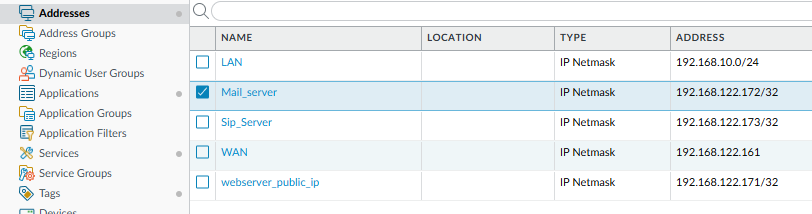
Step 1: Create Address Objects
Objects → Addresses
Create the following objects:
| Name | Type | Value |
|---|---|---|
LAN | IP Netmask | 192.168.10.0/24 |
Mail_server | IP Netmask | 192.168.122.172/32 |
Sip_Server | IP Netmask | 192.168.122.173/32 |
webserver_public_ip | IP Netmask | 192.168.122.171/32 |
These objects will be reused in Security Policy and NAT Policy, which is a best practice in Palo Alto configurations.
Step 2: Create Security Policy (LAN → DMZ)
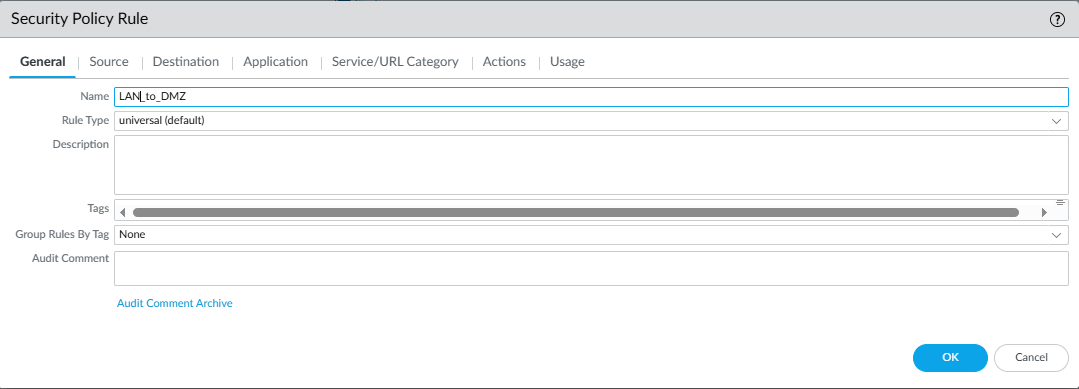
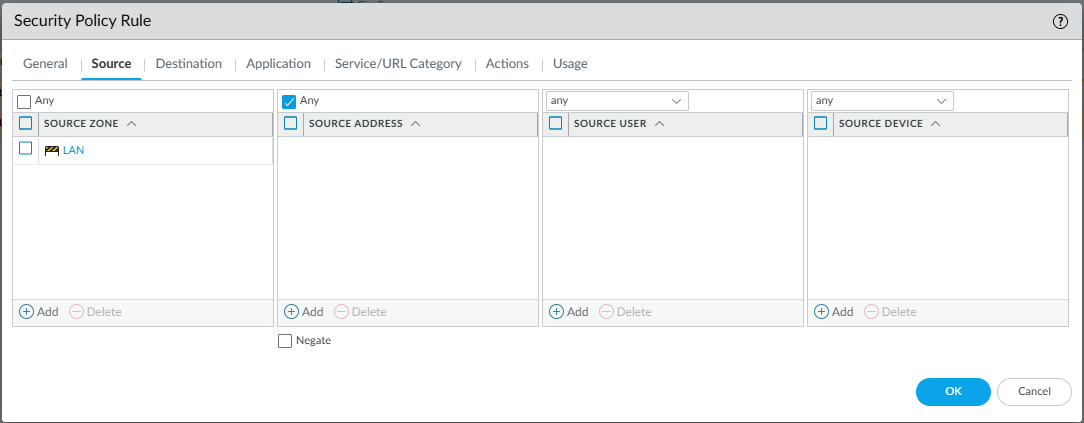
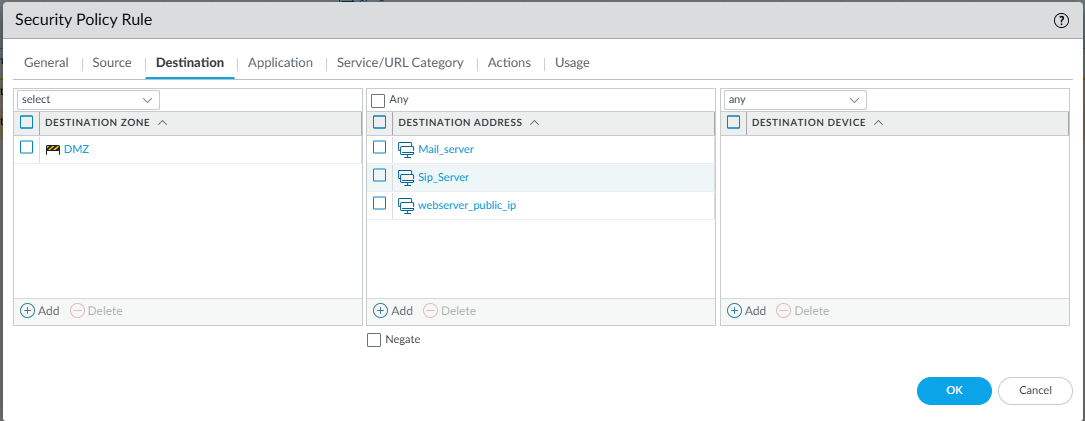
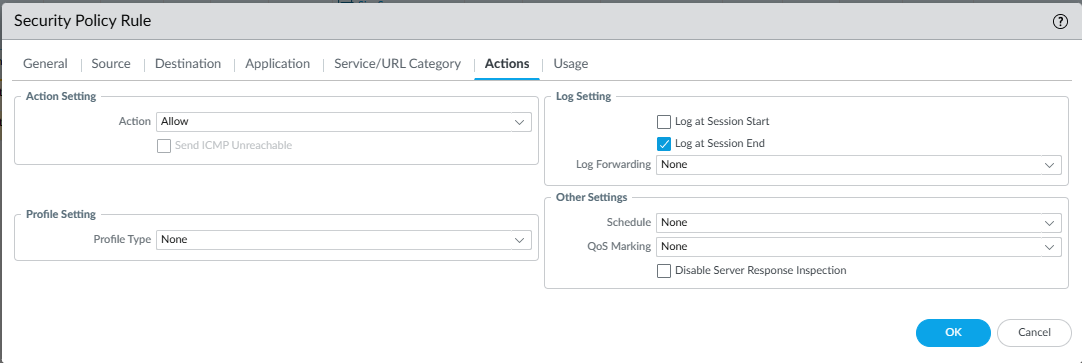
Navigate to:
Policies → Security
General Tab
- Name:
LAN_to_DMZ - Rule Type: Universal
Source Tab
- Source Zone:
LAN - Source Address:
Any
Destination Tab
- Destination Zone:
DMZ - Destination Address:
Mail_serverSip_Serverwebserver_public_ip
Application / Service
- Application:
any(can be restricted later) - Service:
any
Action
- Action: Allow
- Log at Session End: Enabled
This rule ensures LAN users can access DMZ services once NAT translation occurs.
Step 3: Create UNAT (Destination NAT) Policy
Policies → NAT
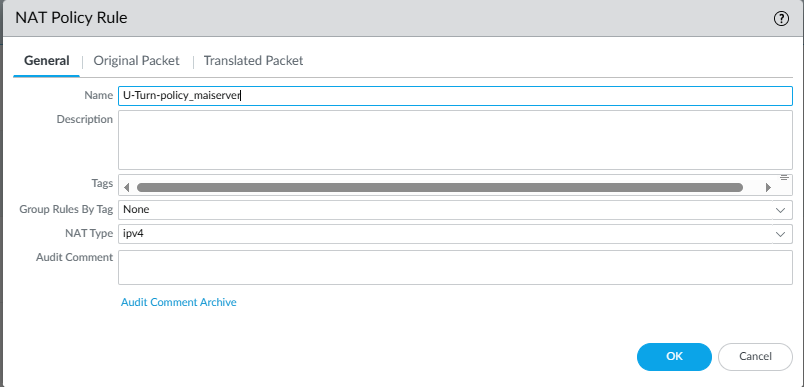
General Tab
- Name:
U-Turn-policy_mailserver - NAT Type: IPv4
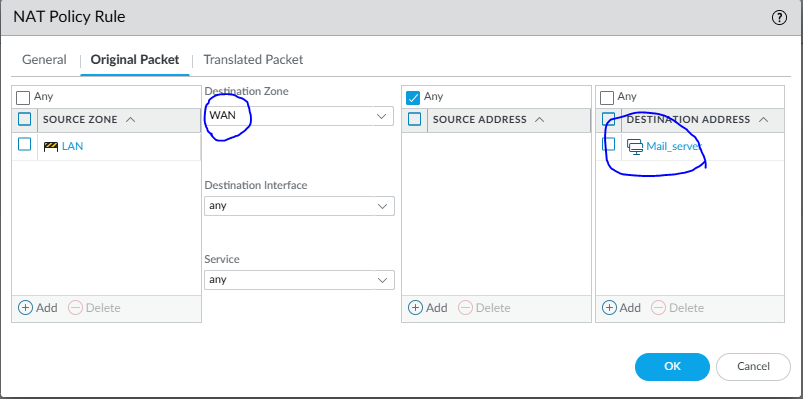
Original Packet Tab
| Field | Value |
|---|---|
| Source Zone | LAN |
| Destination Zone | WAN |
| Destination Address | Mail_server |
| Service | any |
This matches traffic from LAN users trying to reach the public IP.
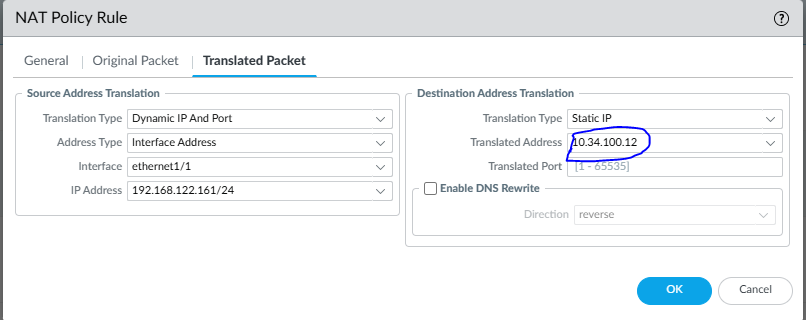
Translated Packet Tab
Source Address Translation (SNAT)
- Type: Dynamic IP and Port
- Address Type: Interface Address
- Interface:
ethernet1/1 - IP Address:
192.168.122.161
Destination Address Translation (DNAT / UNAT)
- Type: Static IP
- Translated Address:
10.34.100.12 - Translated Port:
1–65535
This is the core UNAT logic, where the public IP is mapped to the real DMZ mail server.
Step 4: Commit and Test
Testing from LAN PC
From a LAN workstation:
- Ping or connect to
192.168.122.172 - Verify access to Mail services
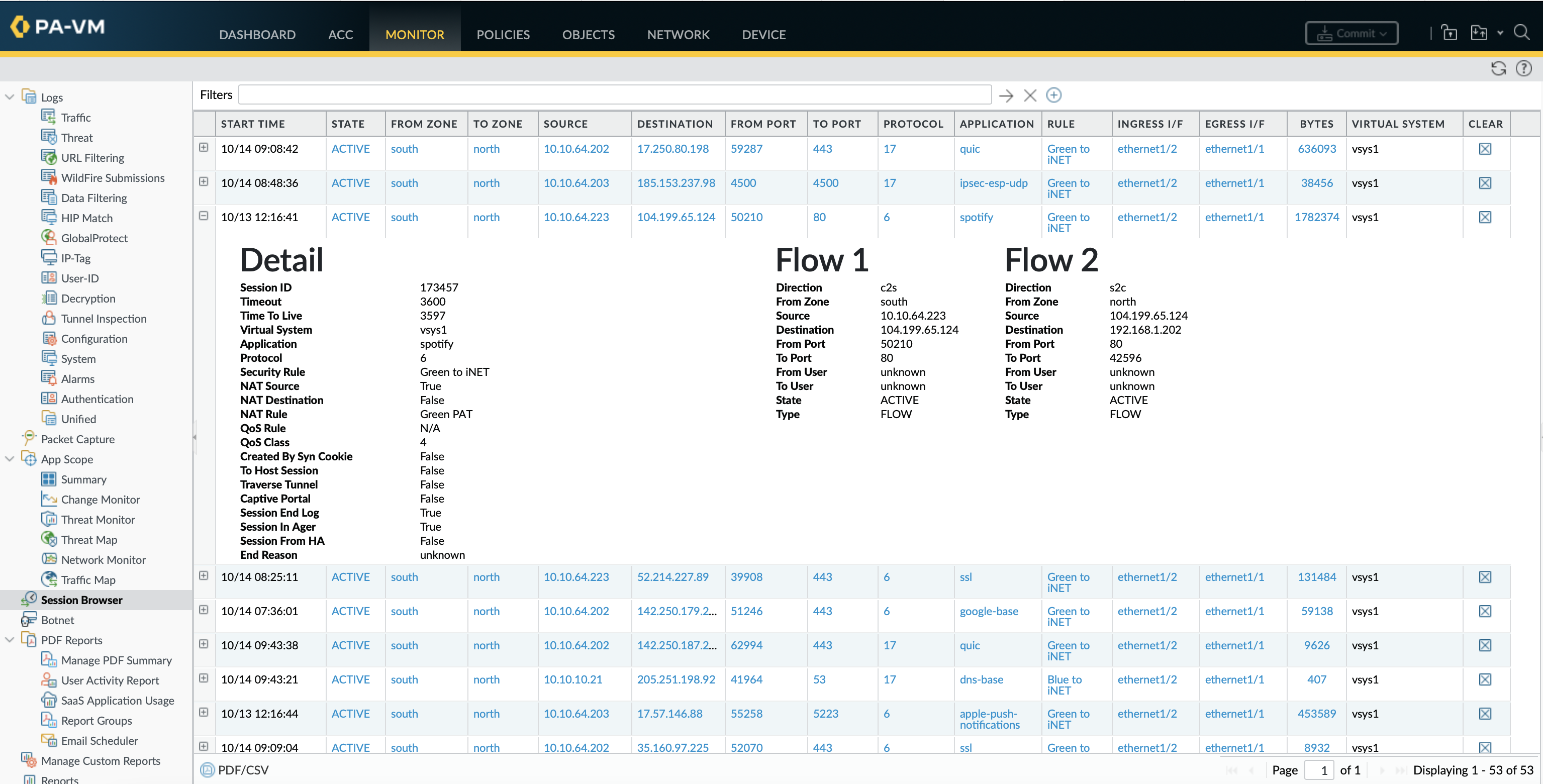
- Check logs under:
Monitor → Traffic
You should see:
- Destination IP translated from
192.168.122.172→10.34.100.12 - Source IP translated to firewall WAN interface IP
Why UNAT Is Important in Real Networks
- Same public IP works internally and externally
- DNS consistency (no split-DNS required)
- Realistic production-grade firewall behavior
- Essential for mail servers, SIP servers, web servers
- Commonly used in banking, ISP, and enterprise DMZ designs
Common Mistakes to Avoid
- Missing LAN → DMZ security rule
- Incorrect destination zone in NAT policy
- NAT rule placed below more generic rules
- Forgetting SNAT for return traffic
Conclusion
This lab demonstrates a real-world Palo Alto UNAT deployment, where internal LAN users access DMZ servers using public IP addresses via WAN, exactly as traffic would behave from the internet.
If you are preparing for PCNSA / PCNSE, managing enterprise firewalls, or designing secure DMZ architectures, mastering UNAT is essential.