find Search files and folders
crontab Schedules the jobs
ls Directory listing
iptables Firewall
netstat Connection status
find Search files and folders
crontab Schedules the jobs
ls Directory listing
iptables Firewall
netstat Connection status
Cisco UCS Site prepration Guide Download here
Cisco UCS 5108 Hardware Installation Guide Download here
Cisco UCS 6100 Series Fabric Interconnect Hardware Specs Download here
Cisco UCS 6100 Series Fabric Interconnect Hardware installation Guide here
Cisco Data Center Infrastructure 2.5 Design Guide Download here
Cisco Validated Designs Download here
UCS Network Configuration for Unified CCE Download here
Unified Communications Virtualization Deployment Guide On UCS B-Series Blade Servers Download here
Cisco SBA UCS C-Series and VMware Deployment Guide Download here
Best Practices in Deploying Cisco Nexus 1000V Series Switches on Cisco UCS B and C Series Cisco UCS Manager Servers Download here
Compare Cisco UCS Blades Models Download here
Data Center Interconnect Design Guide for Virtualized Workload Mobility with Cisco, EMC, and VMware Download here
Cisco UCS Upgrading Cisco UCS From 1.4 To 2.0 Download here (Video Part-1 Part-2 Part-3)
Cisco UCS General Troubleshooting Steps and Solutions Click here
Cisco Nexus 1000V Series Switches Install and Upgrade Guides Click here
Upgrade BIOS on Cisco UCS Server Blade click here
1- how to transfer files between linux servers over ssh
#scp source username@destination ip:/destination path
For example :- I want to transfer files from local linux machine to remote linux server over ssh
#scp abc.tar root@192.168.1.1:/var/
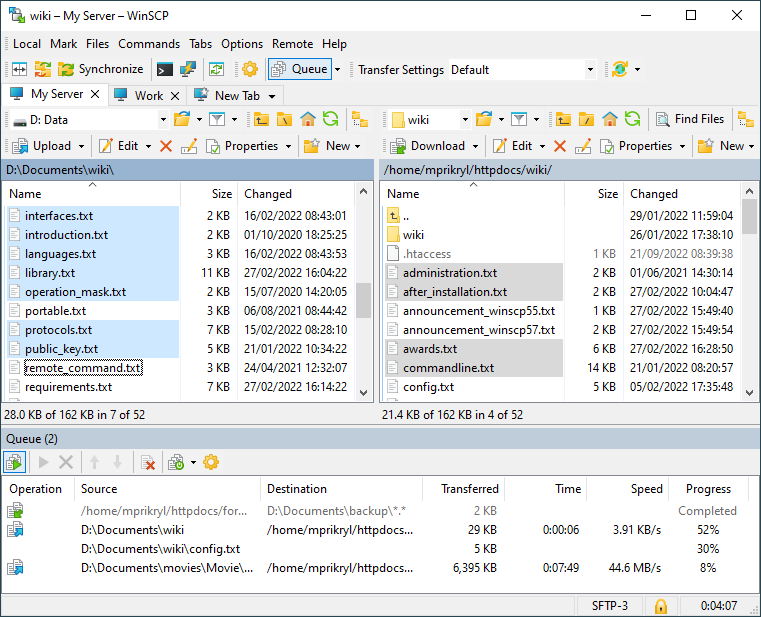
How to transfer files between Windows to Linux over ssh.
download winscp from link http://winscp.net/eng/download.php
Install winscp
Login to your Linux server Now you would be able to transfer file from windows to linux and linux to windows over ssh.
For more help click here

How to get hard drive utilization report of remote computers
This script will get a list of computers and output the hard drive information to a pretty html file. You can also just specify the computer(s) on the command line or use a list of computers. Browser will open with the report when completed. drivereport.htm file saved to same location.
Download Powershell Script
Save and open script file in notepad and Change the following line with your Computers.txt location.
Param (
$computers = (Get-Content “D:\HDDReport\Computers.txt”)
)
Add all your computers name in Computers.txt file as Example below
Computer1
Computer2
Computer3
etc
Note:- you must be having admin rights on computers which you want Hard drive report and you must be able to ping computers by computers name.
if you have problem to run powershell script then try this command (Set-ExecutionPolicy RemoteSigned)or go to reference link
How to configure Microsoft iSCSI
The Microsoft iSCSI Software Initiator enables connection of a Windows host to an external iSCSI storage array using Ethernet NICs. This download can be installed on Windows Server 2003, Windows XP, and Windows 2000. For Vista and Windows Server 2008, the iSCSI initiator is included inbox. The Microsoft iSCSI software initiator makes it possible for businesses to take advantage of existing network infrastructure to enable block-based Storage Area Networks without having to invest in additional hardware.
Supported architectures include x86, x64(both Intel and AMD), and IA64 platforms
For More information and guide download click here
Windows update Troubleshooting
Use below command for detecting windows updates
wuauclt /detectnow
Restart the services
net stop wuauserv
net start wuauserv
wuauclt /r /ReportNow
If things still aren’t working, the Windows Update log can be found at ( %systemroot%\WindowsUpdate.log.)
The log file — strangely verbose, for Microsoft — is just text and viewable in Notepad. If the server you’re
trying to connect to is crapping out, or your group policy is pointing you to the wrong server, the proof will be in there.
wuauclt.exe /resetauthorization /detectnow
/DetectNow – request the Windows Update Agent to do a scan
/ReportNow – when using this, use it in combination with /DetectNow, so wuauclt.exe /DetectNow /ReportNow to get the Windows Update Agent to scan and send the reporting events to the WSUS mothership
/RunHandlerComServer
/RunStoreAsComServer
/ShowSettingsDialog – invokes the CPL UI for the current AU settings
/ResetAuthorization – resets the authorization cookie
/ResetEULAs – resets the EULA that have been accepted?
/ShowWU – shows the Windows Update page or CPL (in Vista or later)
/ShowWindowsUpdate – shows the Windows Update page or CPL (in Vista or later)
/UpdateNow – seems like it wants to start a download and install
/DemoUI -shows the shield for WU and pops the balloon
SSH Session recording script
If you want to record your root ssh session create a file .bash_profile . and copy below line by line change the email address where you want to recive the SSH log mail.
nano /root/.bash_profile
CURDATE=$(date +%F-%T)
RAND=$RANDOM
EMAILS=”user@example.com otherrecipient@example.com”
script -f -q /tmp/session-$USER-$CURDATE-$RAND.log
for EMAIL in $EMAILS; do
cat “/tmp/session-$USER-$CURDATE-$RAND.log” | mail -s “SSH session transcript for $USER at $CURDATE” $EMAIL
done
rm -f /tmp/session-$USER-$CURDATE-$RAND.log
exit
Backup in Linux
$ tar cvf backup.tar .
C = create an archive
V = verbose mode
f = file name
. = current directory
Display the content of tar file
$ tar tvf backup.tar
t = table of content
To extract tar file
$ tar xvf backup.tar
X = extract
Using tar with compression
$ tar zcvf backup.tgz .
z = gzip compression
c = create archive
. = current directory
IP address calculation rule
How to get Block size of given subnet mask
Subnet mask -256
Example:- Given subnet mask = 255.255.255.248
Block Size will be 256 – 248 = 8
Usable IPs will be 8 – 2 = 6
Because first IP will be used for Network ID and Last IP will be used for Broadcast
How to get Block Size of given Bit
32 Bit – given Bit = x bit Block Size (2) the power x bit
For Example:- Given IP address range is 8.12.172.100 /29
Block Size will be 32 bit – 29 bit = Block size 3 bit (2)3 = 2x2x2 = 8
So there will be 8 subnets To get first IP subnet Block 256 / Block Size
For Above Block Example 256 /8 = 32
1- Block 0 – 31
2- Block 32- 63
3- Block 64 –95
4- Block 96 – 127
5- Block 128 – 159
6- Block 160 – 191
7- Block 192 – 223
8- Block 224 – 256